Crepe Paper Teddy Bear Member Make Video Workshop
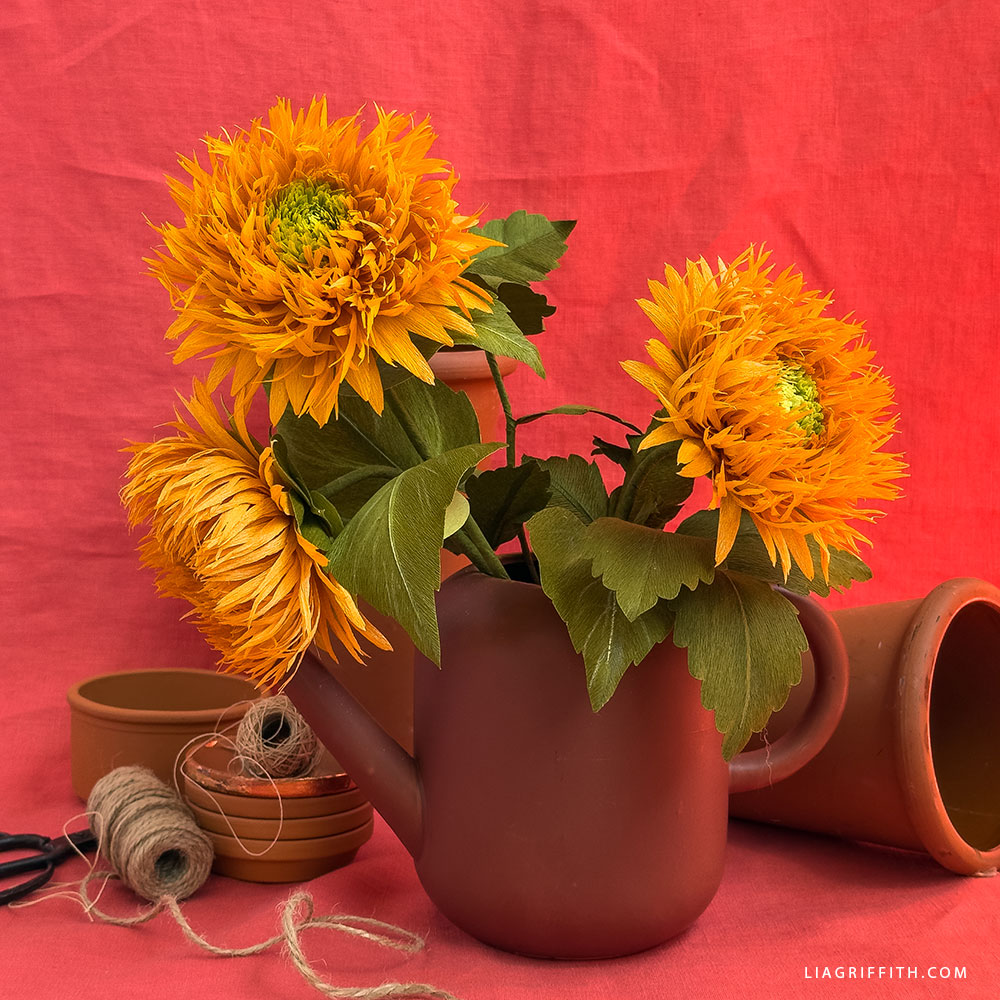
Crepe Paper Teddy Bear Member Make Video Workshop
Warm and Fuzzy
It’s the perfect time to soak up a little sunshine! Our next Member Make Workshop is happening live on Friday, August 15, at noon PT, and we’re crafting something bright, bold, and sunny! Join me and Meagan as we walk you through every step of our Crepe Paper Teddy Bear Sunflower — a stunning, textured bloom that’s sure to keep the summertime vibes going just a little bit longer.
This video is for members only.
Tools
- Cricut Maker or Silhouette Cameo 4
- Kai 8" Scissors
- Kai 5" Detail Scissors
- Pinking Shears — Scallop
- Needle-Nose Pliers/Wire Cutters by Lia Griffith
- Petal Shaper Tool by Lia Griffith
- Needle-Nose Tweezers by Lia Griffith
- Steel Ball Shaping Tool
- Blending Brushes
- Fringe Clip
- Surebonder High Temperature Glue Gun
Materials
- Member Make Bundle
- - OR -
- Lia Griffith Extra-Fine Crepe Paper – Mango, Fern, and Juniper
- Lia Griffith Double-Sided Crepe Paper – Green Tea & Cypress
- Thick Paper Covered Stem Wire
- Floral Wire – 24-Gauge Paper Covered Green
- - AND -
- PanPastel – Pearlecent Yellow
- Colored Pencils – White & Chartruse
- Bearly Art Precision Craft Glue - 2oz

Goodies You Can't Google
You've found a premium project. But for less than the price of a fancy coffee... You'll get instant access to this and over 2,000 other premium projects inside the Lia Griffith membership!
Become a Member
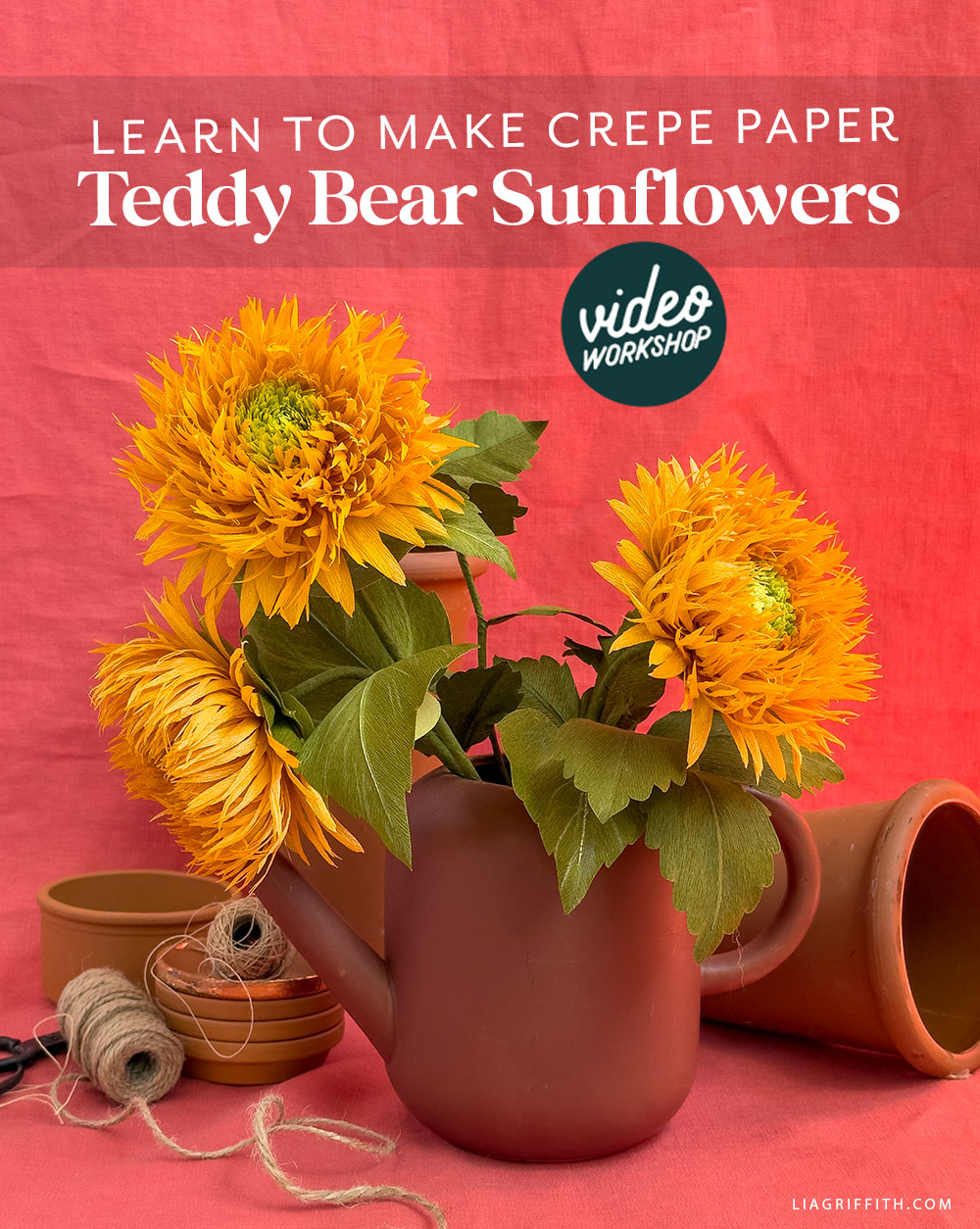
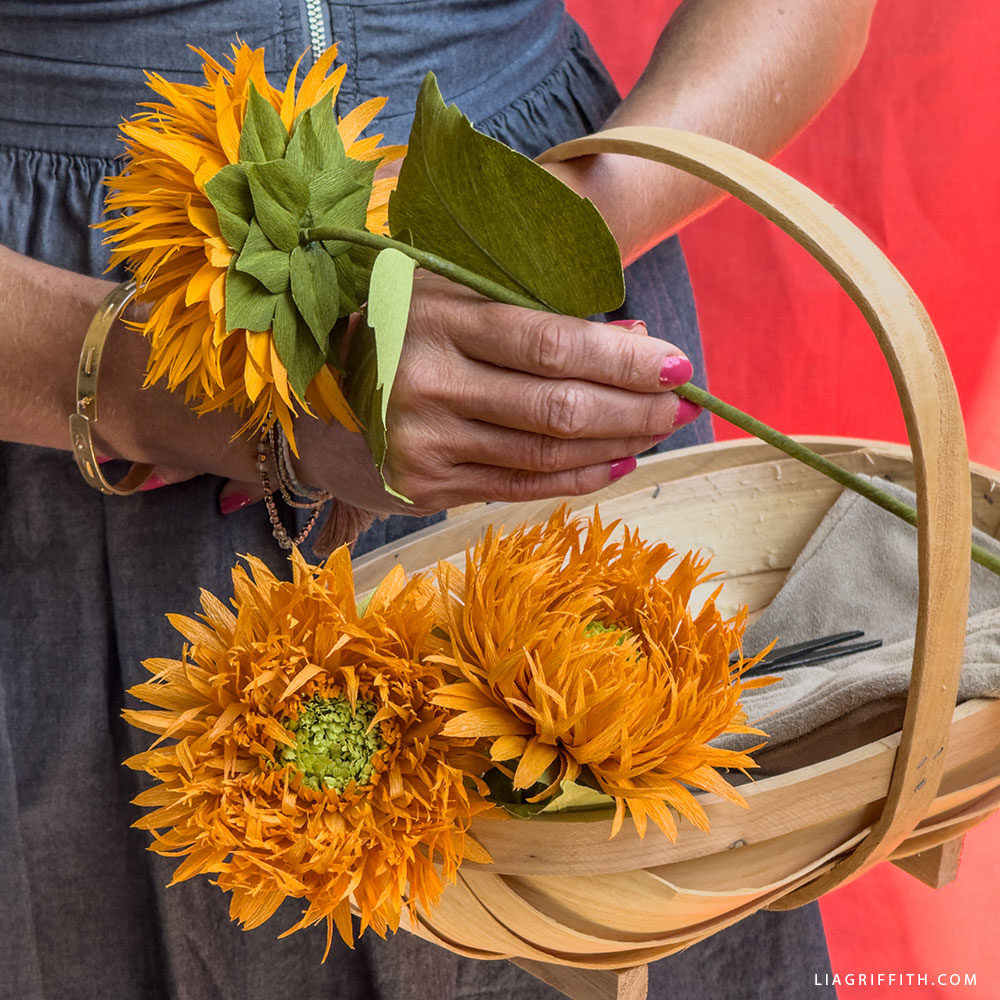
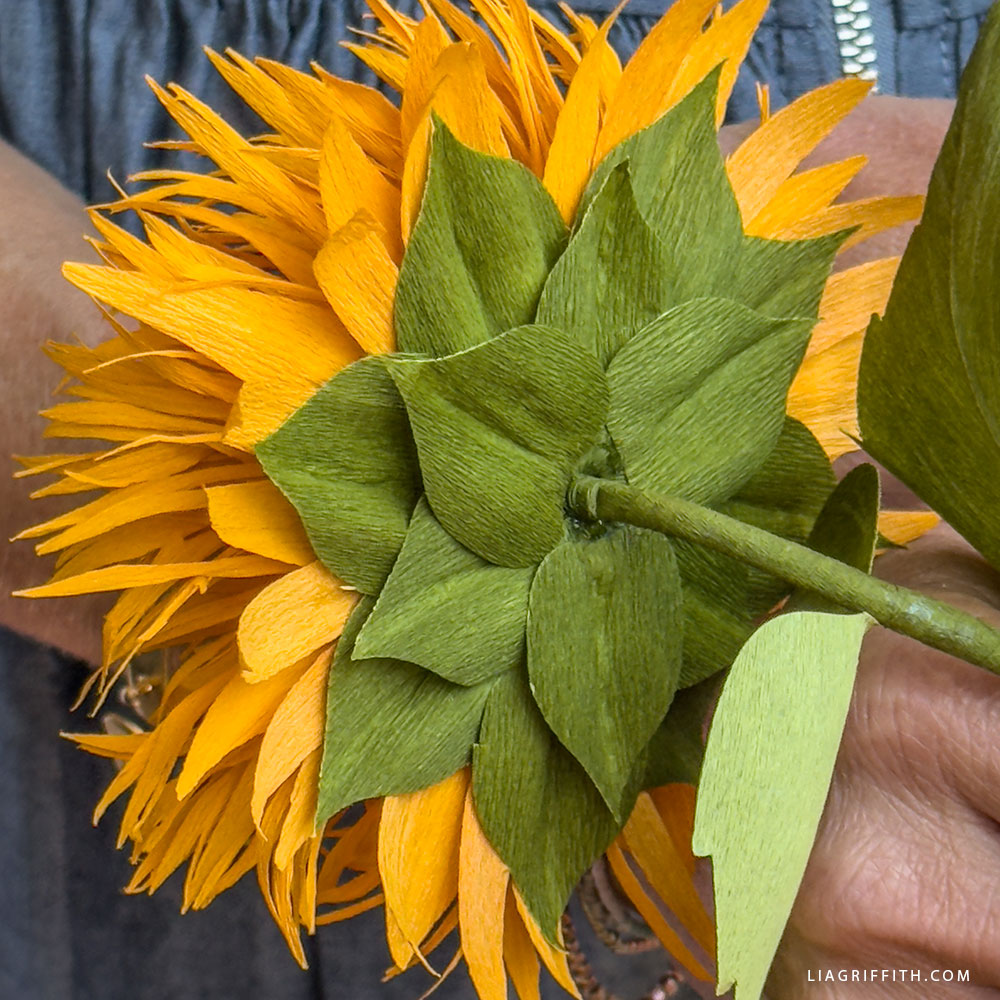
These Crepe Paper Teddy Bear Sunflowers are an intermediate-level project that's approachable enough for our transitioning beginners, while still a fun challenge for our more seasoned crafters. Regardless of your skill level, we’ll be here to guide you through building each petal, shaping the flower head, and adding realistic finishing touches. So grab your tools, prep your materials, and get ready to make a little sunshine.
This particular variety of sunflower is known for its dense, fluffy petals and round, cushion-like shape, almost resembling a furry teddy bear. Hence, the name. While traditional sunflowers are tall and sleek, the Teddy Bear Sunflower feels more playful and whimsical. Symbolically, it represents warmth and happiness, and it’s not very hard to see why. And lastly, its unique shape makes it a lovely alternative to the classic sunflower while still radiating that same unmistakable sunny energy.
Now, whether you're a long-time member or New to Lia Griffith altogether, Member Make Workshops are a special monthly opportunity to connect, learn, and grow as a maker. These real-time sessions allow you to craft alongside our team, ask questions live, and discover helpful techniques and tips that take your skills even further. Additionally, every workshop is recorded, so you can revisit it anytime or catch up if you miss the live session.
When you've completed your Crepe Paper Teddy Bear Sunflower, remember to share it with us using #MemberMake.
All the Goodies You Can't Google 🎁
Tired of scrolling endlessly for the perfect project? Save time, money, and Google-induced headaches with us! Our membership makes it easy to create beautifully finished crafts without needing to look all over the internet for ideas and materials or spend lots of money on individual videos and templates.
Become a Member
Discussion
Ask Lia or the community!
42 Comments
-

Kathleen
October 7, 2025 at 11:22pm
-

Lia
October 8, 2025 at 8:22am
@Kathleen
-

Kathleen
October 6, 2025 at 11:18am
-

Lia
October 6, 2025 at 1:34pm
@Kathleen
-

Kathleen
October 6, 2025 at 10:36pm
@Lia
-

Lia
October 7, 2025 at 8:40am
@Kathleen
-

Whitney
September 7, 2025 at 9:37pm
-

Lia
September 8, 2025 at 9:25am
@Whitney
-

Signe
August 18, 2025 at 8:49am
-

Lia
August 18, 2025 at 9:41am
@Signe
-

Signe
August 18, 2025 at 11:50am
@Signe
-

Lia
August 19, 2025 at 9:27am
@Signe
-

Nicola
August 22, 2025 at 11:56pm
@Signe
-

Lia
August 25, 2025 at 9:27am
@Nicola
-

Karen
August 15, 2025 at 2:35pm
-

Lia
August 15, 2025 at 2:54pm
@Karen
-

Karen
August 15, 2025 at 5:26pm
@Lia
-

Susan
August 15, 2025 at 2:29pm
-

Lia
August 15, 2025 at 2:55pm
@Susan
-

Linda
August 15, 2025 at 1:36pm
-

Lia
August 15, 2025 at 2:15pm
@Linda
-

Tracy
August 15, 2025 at 10:23am
-

Lia
August 15, 2025 at 2:58pm
@Tracy
-

cathe
August 15, 2025 at 8:42am
-

Lia
August 15, 2025 at 2:18pm
@cathe
-

Laura
August 11, 2025 at 8:15pm
-

Lia
August 12, 2025 at 9:46am
@Laura
-

DDee
August 11, 2025 at 3:27pm
-

Lia
August 12, 2025 at 9:47am
@DDee
-

DDee
August 12, 2025 at 10:27am
@Lia
-

Marion
August 9, 2025 at 11:33am
-

Lia
August 11, 2025 at 9:36am
@Marion
-

Marion
August 11, 2025 at 10:44am
@Lia
-

Lia
August 12, 2025 at 12:10pm
@Marion
-

Marion
August 12, 2025 at 12:29pm
@Marion
-

Lia
August 13, 2025 at 9:09am
@Marion
-

Rebecca
August 2, 2025 at 7:17pm
-

Lia
August 4, 2025 at 10:16am
@Rebecca
-

Pamela
August 1, 2025 at 12:12pm
-

Lia
August 1, 2025 at 1:47pm
@Pamela
-

Rebecca
August 1, 2025 at 5:18am
-

Lia
August 1, 2025 at 8:54am
@Rebecca
Leave a CommentI’m embarrassed to ask another question but I’m a complete newbie. I have a new Cricut master 4 and the directions for print and cut in your video seem to not work for me. I can down load a jpg but I can’t find anywhere to download a pdf file. It doesn’t seem to give me a choice to print and cut when I go to the download screen for a new canvas. The pdf files do not highlight to click on. Please help!
Hi Kathleen! We are here for you!! Ask any questions. You will need to use the SVG files for the Cricut, and the PDF files are for printing if you are hand-cutting or as a reference when preparing your pieces. We offer a class that teaches you how to use our SVGs with the Cricut. Though it is older and they have made some software changes (I need to update the videos), they will give you a good start. Here is the link to the class. The first lesson is for file uploads. AND. . . I am here for ANY questions. 🙂 https://liagriffith.com/craft-academy/tracks/a-crafters-guide-to-the-cricut-maker/
For some reason the template for hand cutting isn’t coming through. The directions come through and 2 SVG pages only.
That is very odd. I just opened the zipped folder and found two PDFs and one SVG.
I hadn’t scrolled down enough!
Oh good! Happy it was there. 🙂
The template says to cut 6 of each sepal. However, I believe you said to use 8 of sepal A and 6 of sepal B in the video. Can you please clarify?
You are correct, cut 8 of sepal A and 6 of sepal B! We will update the template.
How do you enlarge the teddy bear print out? It will only print very small. I can’t seem to enlarge the pages.
Check your printer settings. They should print to fill the page at 8.5×11. It might be your settings are reducing that size.
My computer will not enlarge the pattern. What can I do?
This will be in the settings when you select “Print”. A window will pop up allowing you to adjust your size, etc.
Check you are printing landscape. My printer defaults to portrait 🙂
That is a good suggestion.
Hi. I just finished watching the live replay. The flowers look amazing.
When i try to download the template and tutorial, the only thing that opens is the photo tutorial. I”ve downloaded many of the SVG files for your projects before. Is there something I’m missing or is the website glitching? I know I can cut some of the parts by hand but I don’t see the templates or svg files. Thank you for your help.
Hi Karen, our mistake the download has been fixed and everything should be there now!
Thank you!
Thank you for the lovely flower, but I am having trouble accessing the zip file for the templates and the tutorial. When I press the download button, only the tutorial opens. The zip file containing all three files does not download. August 1 I was successful in downloading the zip file with the templates (minus page 2 😊), but after the video replay was added, only the tutorial is available. Rebooting did not solve the problem. Thanks so much!
Hi Susan, our mistake the download has been fixed and everything should be there now!
Great member make, so enjoyable and instructive! Can the petal strips be sprayed with Krylon before building the flower to limit the panpastel transfer?
You can try! If they do not blow away, that is a great idea.
How do we rearrange the template to only be ten inches on the mat?
If you redownload the file I have arranged the svg to be grouped to fit on the mat at 10″ you will need to attach these groups to keep them in place.
where is the vidio?
This is a live workshop that we filmed at noon today. The replay is available.
Hi, I want to invest in my first cutting machine. I was wondering what recommendations anyone had for the most user friendly / cost effective/ best results over all for a cutting all types of fabric and paper?
Any advice is appreciated!
Yes, we do like the Cricut Maker the best. Their prices have come down a bit. https://cricut.com/en-us/cutting-machines/cricut-maker/cricut-maker-4/cricut-maker-4/2011084.html?utm_campaign=brand&utm_medium=paid_search&utm_source=google&utm_content=pmax&utm_term=level1&gad_source=1&gad_campaignid=19014224522&gclid=Cj0KCQjwzOvEBhDVARIsADHfJJRXl75U_FV6nuP5hT-o-aIJ6NgZGmNLLM4mwwc-OXmsTPl9Fg0x9AwaAn6BEALw_wcB
Is there a template that is not SVG?
Yes, the download folder includes a PDF printable template and the SVG.
found it. thanks
I’m working with the Sept 1 SVG file in design space. The file uploaded, entered the Background Remover Screen. If I choose “Apply and Continue” a 3 part screen asks me to choose either #1 a Beta test choice “Multiple layers” to create up to 9 layers, separated by color; #2 a single layer, one color image or silhouette; or choice #3 Flat Graphic single layer full color image for print then cut projects with a home printer. What is the right choice? I’ve never seen this before! Thanks. Marion
Hello Marion. I just checked the file, and it worked for me. I am wondering if Cricut was working on an update, and it gliched. Try again, because it sounds like it might have been treating the SVG like a print then cut.
I just tried again and the same thing happened. Starting from a clear work canvas, I upload the SVG, press continue and the Background Remover comes up. There is a “Preview Single Layer” toggle switch in the upper right corner, set to “Off” and a button bottom right “Apply and Continue.” Either of these buttons take you the 3 choice screen described in my first message. The screen is titled “Convert Upload to.” Do you need a screen shot?
Have you tried restarting your computer as well as your machine? The file is working as it should be on our end. You may want to try uploading another svg file to see if it is happening with other files as well. If restarting your computer and machine does not fix the issue I would contact cricut customer service.
The SVG kept taking me to the Beta Test screen and it simply didn’t work. But I used the PDF instead and it appears to be working.
If you would like to send some screen shots of these issues to hello@liagriffith.com we can continue trying to solve this issue. Without being able to recreate the issue ourselves its hard for us to come up with a solution. I’m glad the PDF worked out for you though!
The post says Member Make will be Thursday, August 15th, but the 15th is a Friday… will it be on Friday or Thursday, August 14th? Thanks in advance!
It is on Friday, and I just updated the post. Thank you for pointing that out.
The Teddy Bear Sunflower template does not have any leaves or sepals.
Thank you, we have updated the template!
So cute. Can’t wait to make. I was unable to download anything on new crepe paper green plant in this months collection. Get 404 error code.
Hmmm. I just checked the collection posts, and they look good to go. Are you referring to the master class plants?
Back to the Top