Frosted Paper Punkin’ Spice Dahlias
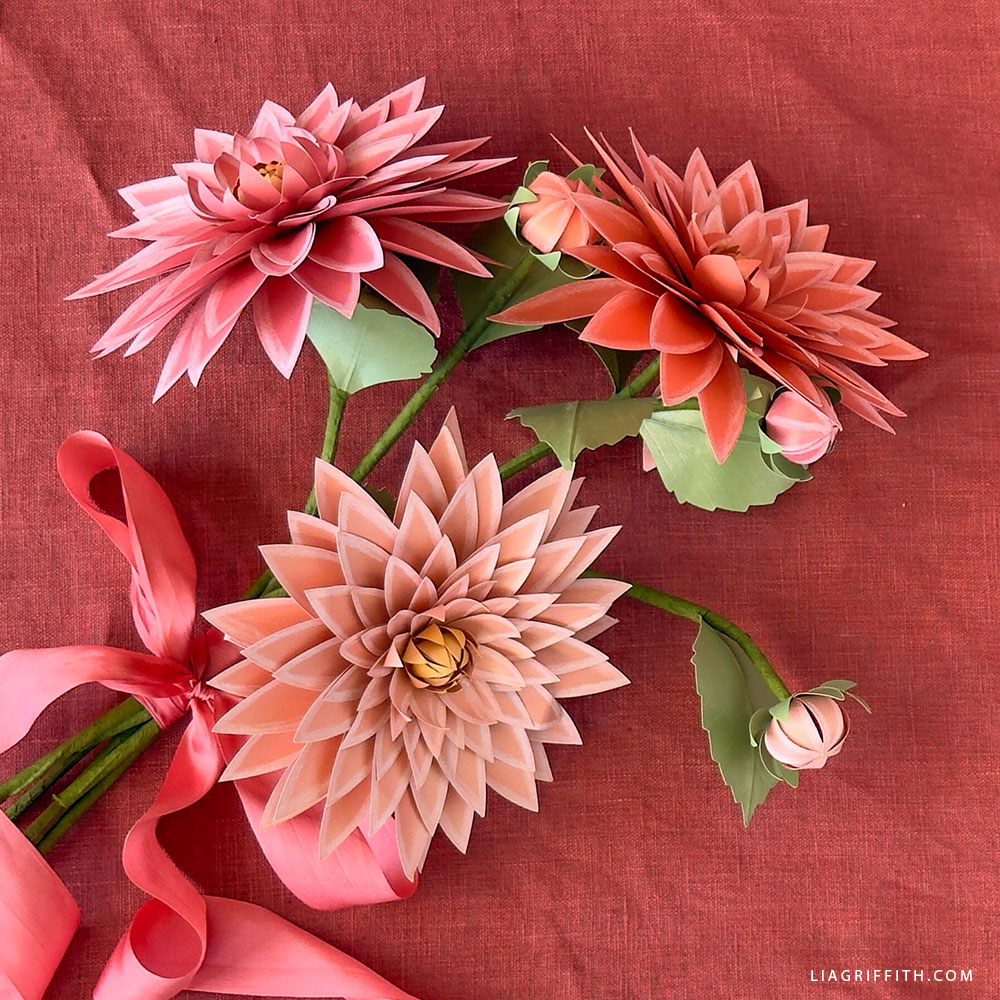
Sweet as Pie
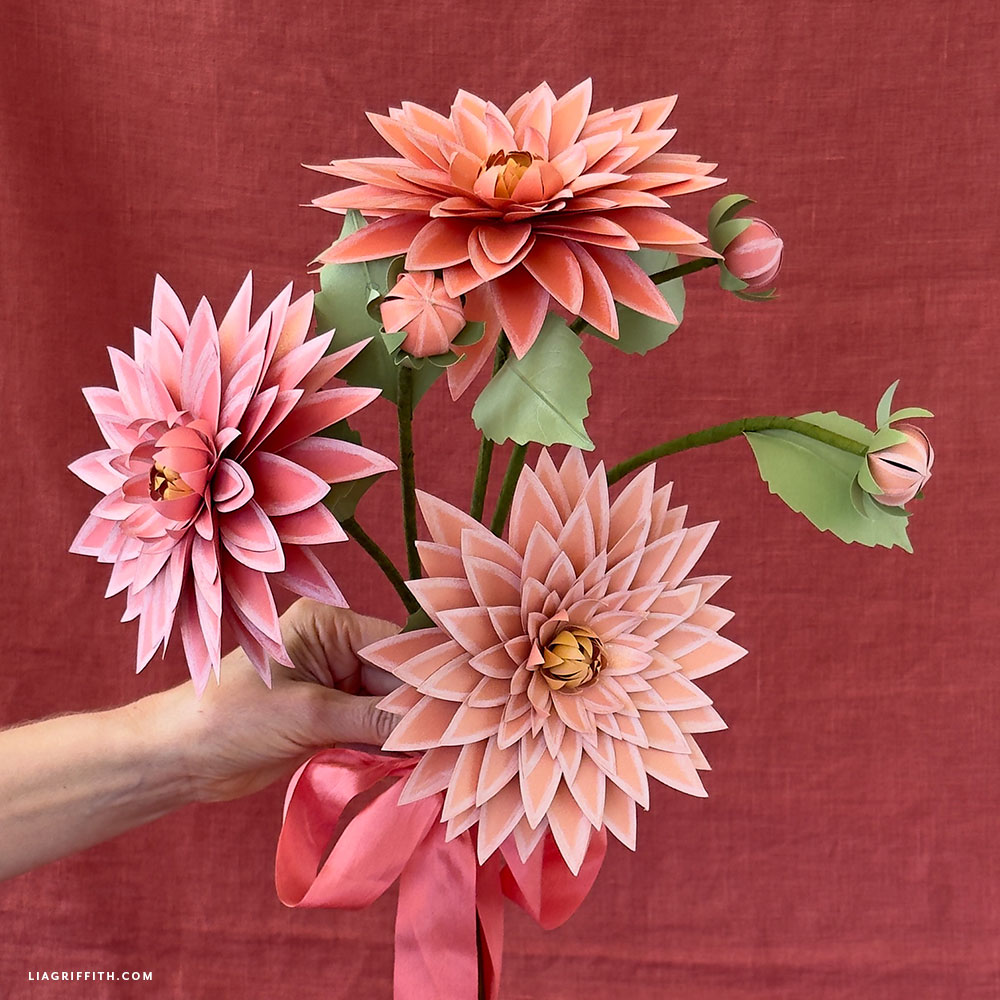
Pumpkin spice season is here, and we couldn’t resist getting in on all that fun, autumnal action. This month, we’re giving a fresh update to one of our earliest and most beloved designs — DIY Paper Dahlia! We’ve spiced things up with a new fall makeover, and the result? Our Frosted Paper Punkin’ Pie Dahlias! We’ve worked with the lovely and exotic dahlia many times before, so if you’re feeling inspired, check out our Paper Dahlia Medallion or our Frosted Paper Dahlia.
Tools
Materials
- Lia Griffith Frosted Craft Paper—Citrus Pack, Melon Pack and Succulent Pack
- Thick Paper Covered Stem Wire
- Floral Wire – 24-Gauge Paper Covered Green
- Bearly Art Precision Craft Glue
- Colored Pencils—Prismacolor Premier white and chartreuse

Goodies You Can't Google
You've found a premium project. But for less than the price of a fancy coffee... You'll get instant access to this and over 2,000 other premium projects inside the Lia Griffith membership!
Become a Member
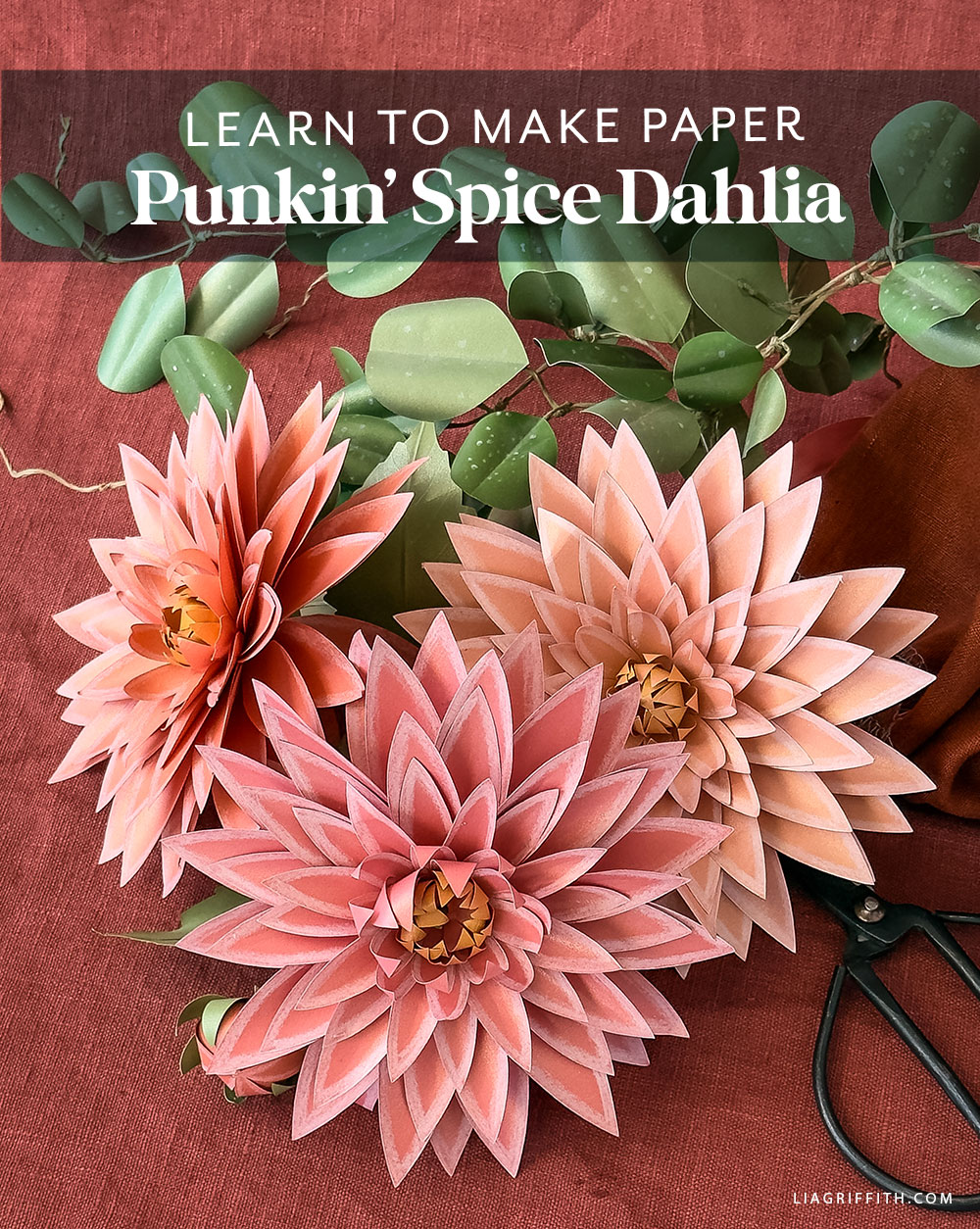
As we mentioned, these Punkin’ Pie Dahlias are a breeze to put together and produce stunning results. All you’ll need are a few sheets of frosted paper or cardstock, your cutting tool of choice, and some adhesive. Once your petals are cut and assembled, the magic really happens with a few strokes of colored pencil along the edges, bringing out that warm pumpkin pie glow. It’s a simple technique, but one that makes your paper dahlia diy look like they’ve been kissed by the golden rays of autumn.
Native to the rich landscape of Mexico, dahlias carry a wealth of meaning and significance. Their bold, layered petals are often associated with inner strength, grace, and kindness. Beyond their symbolic charm, dahlias also hold the title of Mexico’s national flower. Our Punkin’ Pie Dahlias celebrate this bold and diverse bloom while honoring this season of change and transformation.
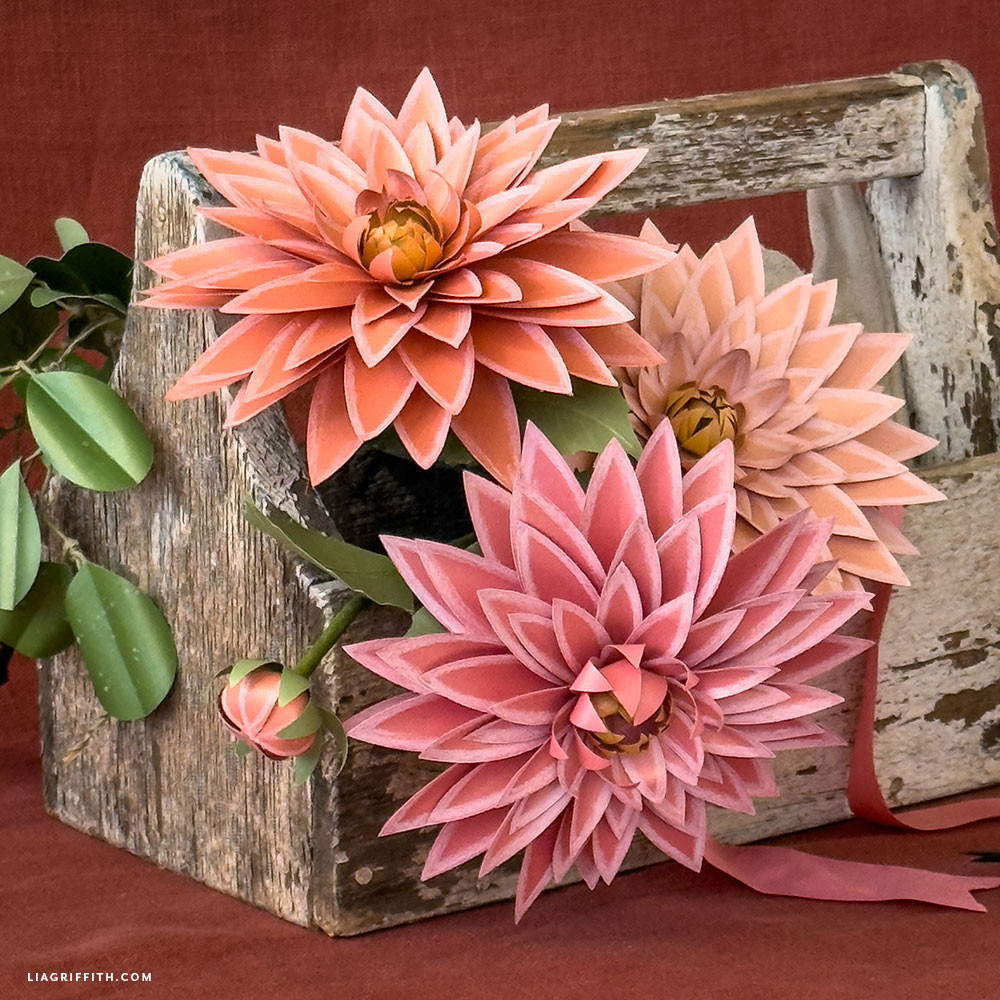
Once finished, these Frosted Paper Punkin’ Pie Dahlias add some bright seasonal charm to your fall décor — as warm and inviting as your favorite autumn treat.Whether clustered in a bouquet, styled as table décor — we can’t wait to see how you style your Punkin’ Pie Dahlias! So, don’t forget to share your finished flowers with us on social media using the hashtag #MadeWithLia, or post them in our crafters’ community to inspire other makers.
All the Goodies You Can't Google 🎁
Tired of scrolling endlessly for the perfect project? Save time, money, and Google-induced headaches with us! Our membership makes it easy to create beautifully finished crafts without needing to look all over the internet for ideas and materials or spend lots of money on individual videos and templates.
Become a Member
Discussion
Ask Lia or the community!
94 Comments
-

Diane
February 20, 2024 at 8:44am
-

Lia
February 20, 2024 at 9:30am
@Diane
-

Jessica
January 17, 2023 at 5:19pm
-

Lia
January 18, 2023 at 12:35pm
@Jessica
-

Kristal
October 3, 2019 at 5:56pm
-

Lia
October 4, 2019 at 8:53am
@Kristal
-

Jessica
March 25, 2019 at 10:54am
-

Lia
March 25, 2019 at 1:01pm
@Jessica
-

ElsBlackmagic52ie
January 6, 2019 at 4:41pm
-

Lia
January 7, 2019 at 7:31am
@ElsBlackmagic52ie
-

gabriela
October 7, 2018 at 1:59pm
-

Allison
October 9, 2018 at 10:00am
@gabriela
-

Elaine
May 17, 2018 at 4:01pm
-

Lia
May 18, 2018 at 7:53am
@Elaine
-

Christine
January 19, 2018 at 6:13pm
-

Lia
January 24, 2018 at 3:23pm
@Christine
-

Zhao
September 28, 2017 at 3:39am
-

Lia
September 28, 2017 at 8:27am
@Zhao
-

Zhao
September 29, 2017 at 3:35am
@Lia
-

Lia
September 29, 2017 at 9:21am
@Zhao
-

Patricia
February 27, 2017 at 8:46am
-

Lia
February 27, 2017 at 9:19am
@Patricia
-

QUYEN
August 13, 2016 at 6:19pm
-

Lia
August 15, 2016 at 7:31am
@QUYEN
-

Margarita
July 13, 2016 at 1:24pm
-

Lia
July 13, 2016 at 4:27pm
@Margarita
-

Maggie
May 30, 2016 at 7:14pm
-

Lia
June 1, 2016 at 2:25pm
@Maggie
-

Elaine
July 9, 2016 at 4:03pm
@Lia
-

Lia
July 13, 2016 at 9:53am
@Elaine
-

Janna
April 22, 2016 at 12:03pm
-

Lia
April 26, 2016 at 1:24pm
@Janna
-

Camille
April 14, 2016 at 9:21pm
-

Lia
April 15, 2016 at 7:13am
@Camille
-

Ashley
January 1, 2016 at 5:00pm
-

Lia
January 4, 2016 at 6:54pm
@Ashley
-

Angela
November 13, 2015 at 12:09pm
-

Rachel
August 10, 2015 at 11:52am
-

Lia
August 11, 2015 at 8:31am
@Rachel
-

Tiffany
May 9, 2015 at 10:28pm
-

Lia
May 11, 2015 at 9:32am
@Tiffany
-

Rex
March 3, 2015 at 7:29am
-

Lia
March 3, 2015 at 8:23am
@Rex
-

Susan
February 18, 2015 at 12:21pm
-

Lia
February 18, 2015 at 3:25pm
@Susan
-

Jasmin
February 16, 2015 at 7:27am
-

Lia
February 16, 2015 at 8:10am
@Jasmin
-

Meagan
January 30, 2015 at 1:16pm
-

Lia
February 1, 2015 at 9:09am
@Meagan
-

JoAnne
December 28, 2014 at 4:25pm
-

Lia
December 29, 2014 at 9:02am
@JoAnne
-

LL
November 9, 2014 at 1:31am
-

Lia
November 10, 2014 at 9:16am
@LL
-

codyrachel
November 3, 2014 at 1:38pm
-

Lia
November 4, 2014 at 9:40am
@codyrachel
-

Lisa
October 21, 2014 at 1:57pm
-

Lisa
October 19, 2014 at 5:19pm
-

Lia
October 20, 2014 at 3:51pm
@Lisa
-

Rhonda
October 7, 2014 at 9:56am
-

Lia
October 7, 2014 at 10:32am
@Rhonda
-

Rhonda
October 6, 2014 at 4:14pm
-

Lia
October 7, 2014 at 8:35am
@Rhonda
-

Karen
October 3, 2014 at 5:27pm
-

Lia
October 6, 2014 at 9:37am
@Karen
-

Jodi
September 25, 2014 at 5:08pm
-

Lia
September 26, 2014 at 7:27am
@Jodi
-

Eileen
September 24, 2014 at 6:38am
-

Lia
September 24, 2014 at 9:23am
@Eileen
-

amelied
September 23, 2014 at 9:24pm
-

Lia
September 24, 2014 at 9:38am
@amelied
-

silvia
September 23, 2014 at 3:03pm
-

Lia
November 12, 2014 at 10:08pm
@silvia
-

Linda
September 23, 2014 at 8:26am
-

Lia
September 23, 2014 at 9:30am
@Linda
-

Dawn
September 23, 2014 at 8:16am
-

Lia
September 23, 2014 at 9:31am
@Dawn
-

liesbeth
September 23, 2014 at 7:48am
-

Lia
September 23, 2014 at 9:32am
@liesbeth
-

Irene
September 23, 2014 at 7:12am
-

Lia
September 23, 2014 at 9:33am
@Irene
-

Karen
September 23, 2014 at 6:29am
-

Lia
September 23, 2014 at 9:33am
@Karen
-

Sam
September 23, 2014 at 5:53am
-

Lia
September 23, 2014 at 9:36am
@Sam
-

Sarah
September 23, 2014 at 4:34am
-

Lia
September 23, 2014 at 9:37am
@Sarah
-

Cookie17
September 22, 2014 at 7:19pm
-

Lia
September 23, 2014 at 9:39am
@Cookie17
-

Suzy
September 22, 2014 at 6:53pm
-

Lia
September 23, 2014 at 9:39am
@Suzy
-

parliskim
September 22, 2014 at 6:08pm
-

Lia
September 23, 2014 at 9:40am
@parliskim
-

cindy
September 22, 2014 at 2:56pm
-

Lia
September 22, 2014 at 3:20pm
@cindy
Leave a CommentYour flowers inspire me.
Thank you! I hope you can make along as well. 🙂
I’m struggling to open some links on the website, particularly the rustic wedding bouquet, boutenniere, and corsage tutorial. Some photos are coming up blank and upon clicking links this appears:
This XML file does not appear to have any style information associated with it. The document tree is shown below.
AccessDeniedAccess Denied
BN8R6V7S07MT4P59
GX7KEow/fOi9mId8+N8vCxGRSCS6d1/2vjS0JR+tFFsvyaiZdOphOmPrZ5czZ/kbhAgLdWBmPTg=
Thanks lia for your help.
Jessica
I think we have it fixed now. 😉
Hello! I love this flower! I am having difficulty with the petals remaining glued together. After awhile, some of the petals pop open and the glue is left solidified. Additionally, I can’t seem to hide the glue within the flower. Do you have any suggestions?
Thank you!
Hi Kristal! You may want to try a different brand of glue, or a high-temp glue gun (https://shopliagriffith.com/product/high-temperature-glue-gun-kit/). We’ve found some frosted papers don’t hold low-temp as nicely as others!
What setting do you use to cut the paper. For your rose pattern i have it;s cutting fine, but i even have a new blade and my papers keeps ripping when i try to cut the dahlia. Wondering if I;m just using the wrong setting
We use the Light Cardstock setting– you might want to try a test cut with the setting closer to Iron On.
I am confused about “text weight” paper. 65 lb. weight is the recommended weight on some flowers. Printer paper is 20 weight which would be way too light. What is the weight of “text weight”? I could not find the website paper-paper.com. I appreciate any assistance you can provide me. Thank you!
There are a few different weights of text weight paper out there (just depends on the manufacturer) but our most-used brands available on PaperPapers are 80 or 81lb text. The higher the number, the thicker the paper.
Are there more detailed directions for the seeded eucalyptus somewhere? They look like they are glued on in different directions? I can’t tell.
Thank you
Hi Gabriela, we don’t have any other directions for the seeded eucalyptus, sorry!
The leaves are staggered but only slightly, the folds in the leaves give it that look more than anything, you can fold them whichever way you think looks best. We hope this helps!
I have 65# paper and an confused about the difference between 65# cardstock v. 65# paper. Can you clear this up for me! Thank you.
Hi Elaine– cardstock is thicker than regular text weight paper. There are different weights of both cardstock and text weight, too– the higher the number, the thicker the paper. We generally use 81lb. (or 81#) text weight for frosted paper flowers, but what you have should work just fine.
My eleven year old daughter has watched me make paper flowers from your patterns since I chose paper flowers for decoration on her communion day. Today I let her try her hand unassisted on her choice of flower. This Dahlia was her preference and I am amazed with how lifelike and stunning her flowers are. I am so proud yet unable to tear her from the crafting table. 🙂 Which I rather see her doing Instead of wasting her time on her phone or laptop. Many thanks for the many memories that your flower crafting projects have created for my daughter and me. 🙂
This is so wonderful to hear!! If you’d ever like to share a photo of her creation with us, please send along to hello@liagriffith.com.
Will there be a video tutorial for this? I’m having a hard time attaching the last few layers securely.
We have these videos for similar bouquets– maybe that will help?? https://www.youtube.com/watch?v=XiggVOgNE30, https://www.youtube.com/watch?v=HxEXT6DtNYg
Thank you 🙂 Those videos were extremely helpful!
I’m so glad!!
I have a quick question – is there a SVG cut file for the dahlia flowers ? I’ve done a search and I can’t seem to find one. I love the pattern but I can imagine cutting so many by hand without my Cricut!
Oh yes! It’s part of the rustic bridal bouquet 🙂 https://liagriffith.com/diy-rustic-paper-bridal-bouquet/
May i ask where can i buy the metallic paper like yours?
We get ours from paper-papers.com
My images downloaded just fine. Now, when my machine cutted the eucalyptus leave it was suppose to score in the middle instead of cutting. My leaves are cut in half and I can not assemble it like that. What am I doing wrong?
When in Design Space, you need to manually tell the program to score instead of cut. Just click the scissor icon on the layer that has desired score line and change it from “cut” to “score” in the new menu that pops up.
Hi Lia, thanks for fixing the sizing in Cricut Design Space! But now the designs don’t fit on the 8.5×11 paper I ordered from Paper-Papers. I tried to go in and customize the designs to fit better but it doesn’t allow me to ungroup the shapes. Any ideas for a fix for this? Should I just order bigger paper?
Hi Maggie, sorry for all the trouble! We added the SVG files to our site– download them here! https://liagriffith.com/diy-rustic-paper-bridal-bouquet/
Hi Lia,
I downloaded these files directly from your site however the Cricut program is still forcing me to separate Dahlia1.svg into two sheets, completely wasting a ton of paper. Is this accurate layout for final cutting?
Thanks!
Elaine
If you want it all to fit on a 8.5″x11″ paper, I suggest using the “attach” function in Design Space to group all of the flowers from Dahlia1.svg together. This will prevent them from rearranging themselves on the artboard just before cutting.
Do you have a more detailed tutorial for the eucalyptus? I can’t seem to get the leaves to lay right from these two pics. 🙁
Thanks.
So sorry, I don’t have a more detailed tutorial! Try pinching and curving the paper more to get it to lay the way you want.
I have a one month subscription here but unfortunately cricut design space doesn’t recognize that and is requiring that I buy the pattern for this. Is there a work around or am I required to purchase every svg file on cricut in addition to subscription?
Thanks!
No not at all. These are our patterns not Cricut’s. Save the svg file from our site and open it up in Design Space.
Your flowers are all so beautiful!
I’m a bride on a budget, looking to diy most of my decor. I unfortunately can’t afford a Cricut at this point (it’s on my wish list!). Are the templates in a format that I could download and manually cut out? I’m willing to put in the time and effort, I just want to make sure it’s possible.
Certainly! The files associated with this specific post are PDFs, so you can print those and cut them out by hand. With most of my flower posts, there will be a PDF file and an SVG file. The SVGs are for cutting machines, but the PDFs are meant for readers that are cutting by hand 🙂
lovely decorative so simply and beautiful 😉
I’d love to download the SVG files for these so that I can print it with my Cricut Explore Air!
Hi, you can find the files here https://us.cricut.com/design/#/landing/project-detail/7113
Thanks so much for the tutorial- your projects are incredible! I am a new Explore owner and wondering what type of glue gun you recommend. Thanks in advance!
I use a low temperature hot glue gun, important that it is low temp so you don’t burn your fingers. It is one of the best finds ever, I used to burn my fingers all the time.
hey Lia, I stumbled upon this tutorial on Pinterest. I gave it a try yesterday and it’s completely badass. I can’t wait to give some of the others a go. Thanks!
That is cute! I LOVE it:-)
Hi Lia, can I use crepe paper to make the dahlias?
Crepe is a different thing. I would try it using the pattern for the mums just adding more petals. Have fun! https://liagriffith.com/crepe-paper-mums-how-to-make-paper-flowers-for-fall/
Can I also use normal colored paper (paper for printing etc.) or does it only work with this special metallic paper from the website?
Yes, you can use any paper you like. I find that my flowers work best not using card stock though, but something lighter. Card stock does not curl as nicely and gives a stiffer look.
Hi Lia!
I just wanted to let you know after downloading and cutting the file from cricut design space the sizes are off in the template. Instead of 5 different sized petals gradually getting bigger (4,2,2,2,4) you only get 4 different sizes. Quantity is 4,2,2,6 from smallest to only the second largest sizes. It doesn’t include the largest petals in the download.
Thanks,
Meagan
That is interesting to know. I will see what I can figure out.
These are stunning! I do not, however, have the Cricut a Explorer, I just have the 12 inch one. I’ll need to find someone with it so I can make these. I’m not in a position to purchase one right now. I’m so glad I saw this on Pinterest, I’m an avid follower now!
I do have a lot of readers that cut by hand so I always include a pdf. Happy you found me:)
Hi, these are beautiful! I would like to do the eucalyptus on my brand new Explore, but I cannot find the projects on circuit website though. Can you please give a link?
Thanks!
-L
I have sent the files to Cricut but I don’t know if they have had a chance to upload them yet. I will definitely let you know when they are up, think it will be this week. Congratulations on your new Cricut!
Thank you so much! Love these flowers and those acorns!!! So happy Mark shared your beautiful flowers!
Thank you, I heart Mark;-)
Thank you so much!! I will keep my eyes open!!
Lia…first your designs are absolutely gorgeous!! I just made the Gerber and it looks GREAT!! I wanted to try the Dahlia and I’m sorry if I’m missing it (I often do!) but I don’t see a cut file (svg or png??) Is there one available? Thanks again so much for sharing your beautiful creations!! You are one talented woman!!
Hi Lisa, the svg file will be on Cricut.com It is part of their Design Space star competition for which I created the flower. Should be up shortly:)
Yes, I have a Cricut Explore – thank you for checking on this!
You are welcome:)
Is there a way to get the template on the cricut? I see in an earlier post that you said eventually you will post .svg files, but is there a way for me to do it myself in the meantime? I want to make a bouquet of these flowers but would rather use my cricut than cut by hand if I can lol. I just love you blog and your crafts that you post thanks for sharing!
I just shot them an email asking that question. Do you have an Explore?
I thought I had seen .svg files for these in the past. My Cricut explore just came today, Hoping to try some of these fun project!
Yay, congratulations on your purchase! Have fun! It is my best friend:) I jokingly say that they made the Cricut Explorer just for me.
How did you get the file to cut on your Cricut Explore
I set it up the same as I do most of my custom cut files. I will be offering SVGs (machine cut fies) soon, but not until I find out if this made it into the Cricut Design Star Space competition.
This is beautiful, Lia! I want to make a fall wreath using them. Thank you for including the direct links to the paper colors. Before I realized you had done that, I searched far and wide – at Paper-papers and other sites. You’ve found us the best prices and widest selection. Paper-papers should offer you a discount code to share from your site!
I used all 6 votes for you every day so far at the Martha Stewart Amercian Made awards site. Not to win any prizes but because I just love all you make and how you share it so freely.
I enjoyed the Portland video as well and was especially struck by your simple photo set-up with the beadboard backdrop. Have you posted about how you light it and set yoour camera. The results are just stunning!
Sorry for such a long note.
Hi Eileen. Thank you for your long note, it was lovely to read! I really appreciate your votes and support, it brightens up a rainy day (and the rain has come to Portland) As for the post about how I photograph it is in the works:) Thank you!
Lia
Coming from the land Down Under – I just have to say how much I <3 the seeded eucalyptus. Stunning!
Did you know that Princess Mary (of Denmark) had seeded eucalyptus in her Bridal Bouquet? Cool huh?
Even though I have a load of laundry to do, a sink full of dishes, and plenty of other housework – I know what I will be doing for the rest of the day!
Thank you for yet another inspiring creation. You and your team do such beautiful work.
<3
Pia
Down Under is definitely one of the places I would love to visit! I did not know that Princess Mary had a seeded eucalyptus in her bridal bouquet, that is very cool! She is so pretty! I hear you friend, making paper flowers is so much more fun than doing housework;-) Besides once you have a gorgeous bouquet to look at you can barely see the piles of dishes:) At least that is what I am telling myself 😉
Si supieras la ilusión que tengo cada día cuando veo tu gmail.Pronto realizaré todas las cosas que estás compartiendo,espero que desde España Barcelona pueda comprar algunos kits tuyos,dime donde puedo comprarlos.
Es todo tan elegante,el bird pájaro yá lo hice,ahora me gustaría hacer una corona de plumas con un frasco de tita y el palo soporte de la pluma como se escribía antes,puedes darme algún consejo de como diseño la botella de tinta en papel con volumen? gracias por todo lo que compartes estas llegando lejos
Un abrazo.
🙂 Thank you!
I love all your flowers but couldn’t gt the eucalyptus template to download. The link didn’t work.
Hi Linda, so sorry the template link so be working now. Thanks for your patience!
Hi Lia. I love your work, so much so that I am going to purchase the Cricut explore that you use and recommend, and give it a go myself. Can the Explore also cut crepe paper or does that tear when you try taking it off the backing mat ?
Thanks for your attention and posts. Please keep them coming 🙂
Hi Dawn, the Cricut works on almost everything with the exception of Crepe. The material is too uneven so it tear when it cuts. I cut my crepe flowers by hand. Congratulations on getting a Cricut Explorer, I use mine everyday! There is a link on my site that will get you any promotions they might be running. Have fun!!
Lia, the download link doesn’t work 🙁
🙁 It is up now. Sorry for the trouble!
So beautiful!! Can’t download seeded eucalyptus template.
Thank you! The template is up now. Sorry for the inconvenience.
I love the color Emerald for the seeded eucalyptus!!! Thank you for sharing all of your “secrets”. ☺️
You are welcome;-)
That is such a beautiful flower you have created Lia! May I ask where you get your paper from? Is it a special type or weight of paper that you prefer to use?
Hi Sam. I use text weight paper (cardstock is too thick) I get my paper from a company called Paper-Papers.com
lia,
The seeded eucalyptus template still is not downloading. Would love to be able to use this. Your work is beautiful!!
So sorry, the template is working now. Thanks for your support!
Enjoyed this one Thanks’ keep up great work Thank’sssss !!
Thanks for putting a smile on my face:)
Exquisite, Lia. You have elevated the paper bloom to the highest level!
Awe… so sweet. Thanks for brightening up a rainy day:)
So beautiful! You are such an artist! Thank you!
Thanks friend!
hey lia–
would love to download your seeded eucalyptus template–
unfortunately, the link doesn’t work–
also–
in the post about mixing paper peonies with real flowers in a bridal bouquet, you made mention of a tutorial for centerpieces–
i hope that it is forthcoming–
thanks lia
Thanks Cindy, will fix that right away! I am planning on posting the centerpiece tutorial on Friday!
Back to the Top